Product News: AI Editing in DAM+, AI Taxonomies, Aptoma Print Automation and a New Navigation Mode
In the second quarter of 2026, we put AI to work exactly where it takes real pressure off daily editorial work: transparently and under your control. Purple DAM+ brings AI Editing directly into the Hub, new AI taxonomies for Purple Prompts speed up tagging, our new partner Aptoma brings print automation into Purple, and a new navigation mode in Purple Experience solves concrete requirements from the advertising business. Here are the most important updates in detail.


Purple DAM+: AI Editing directly in the Hub
What is it?
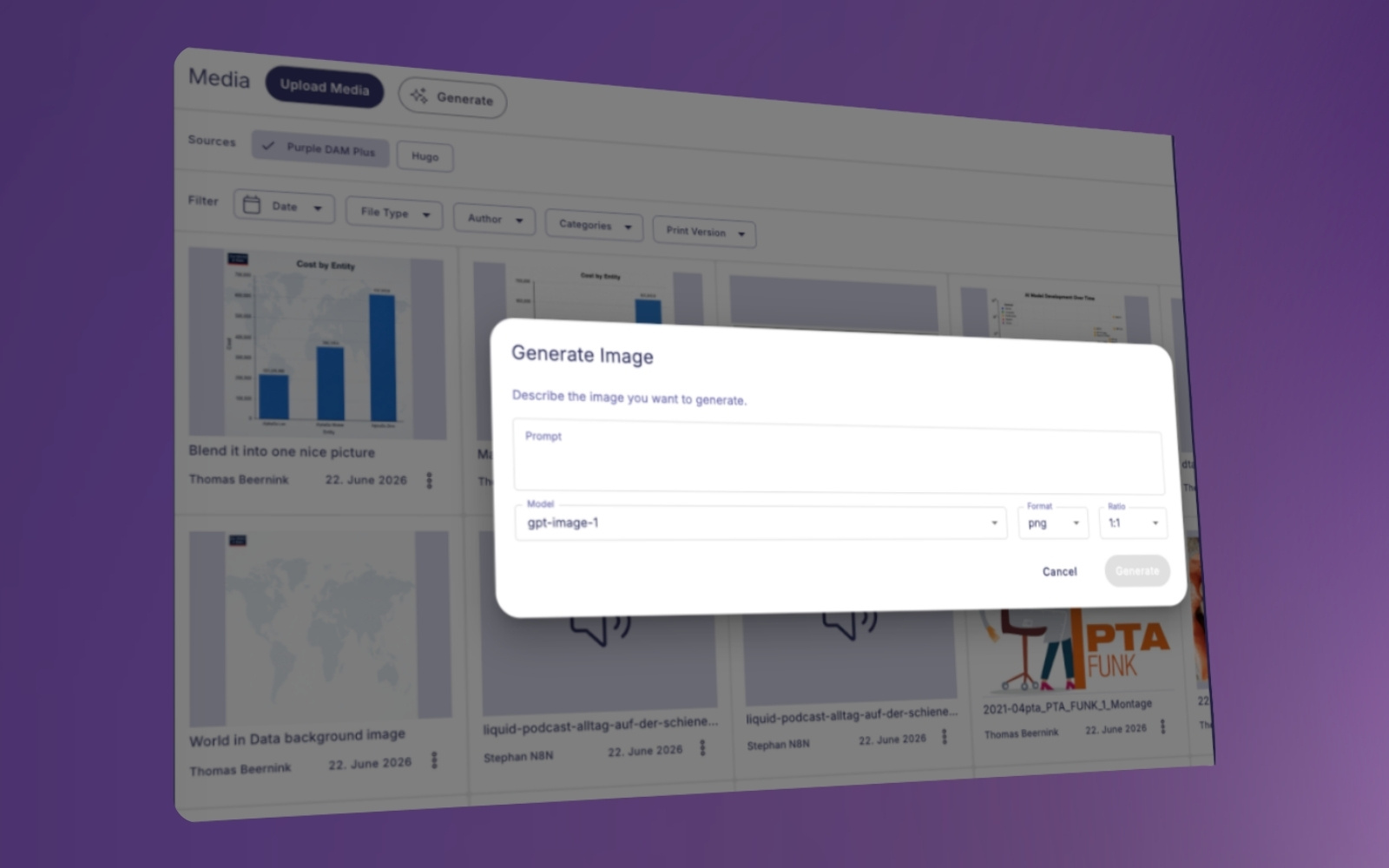
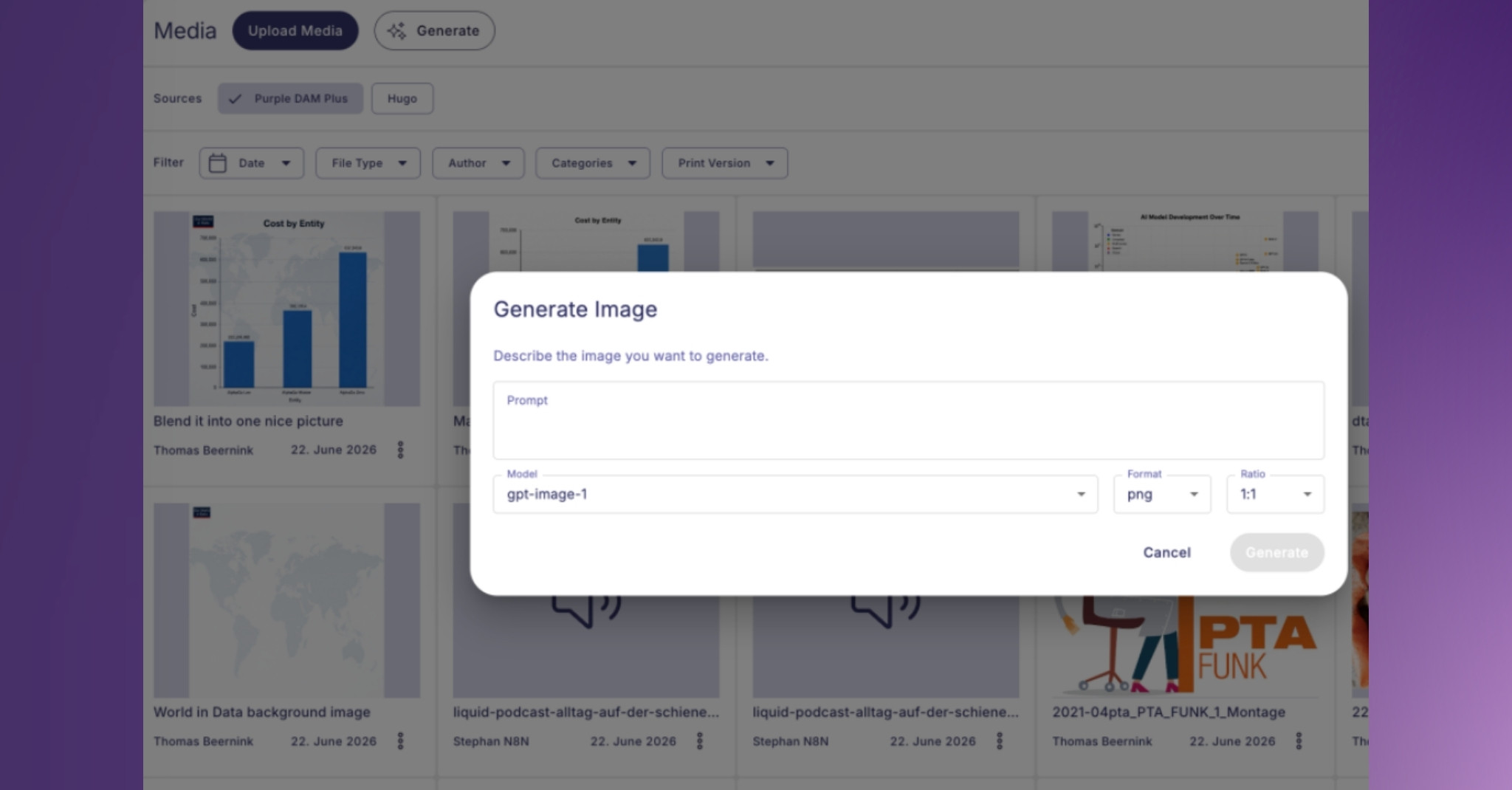
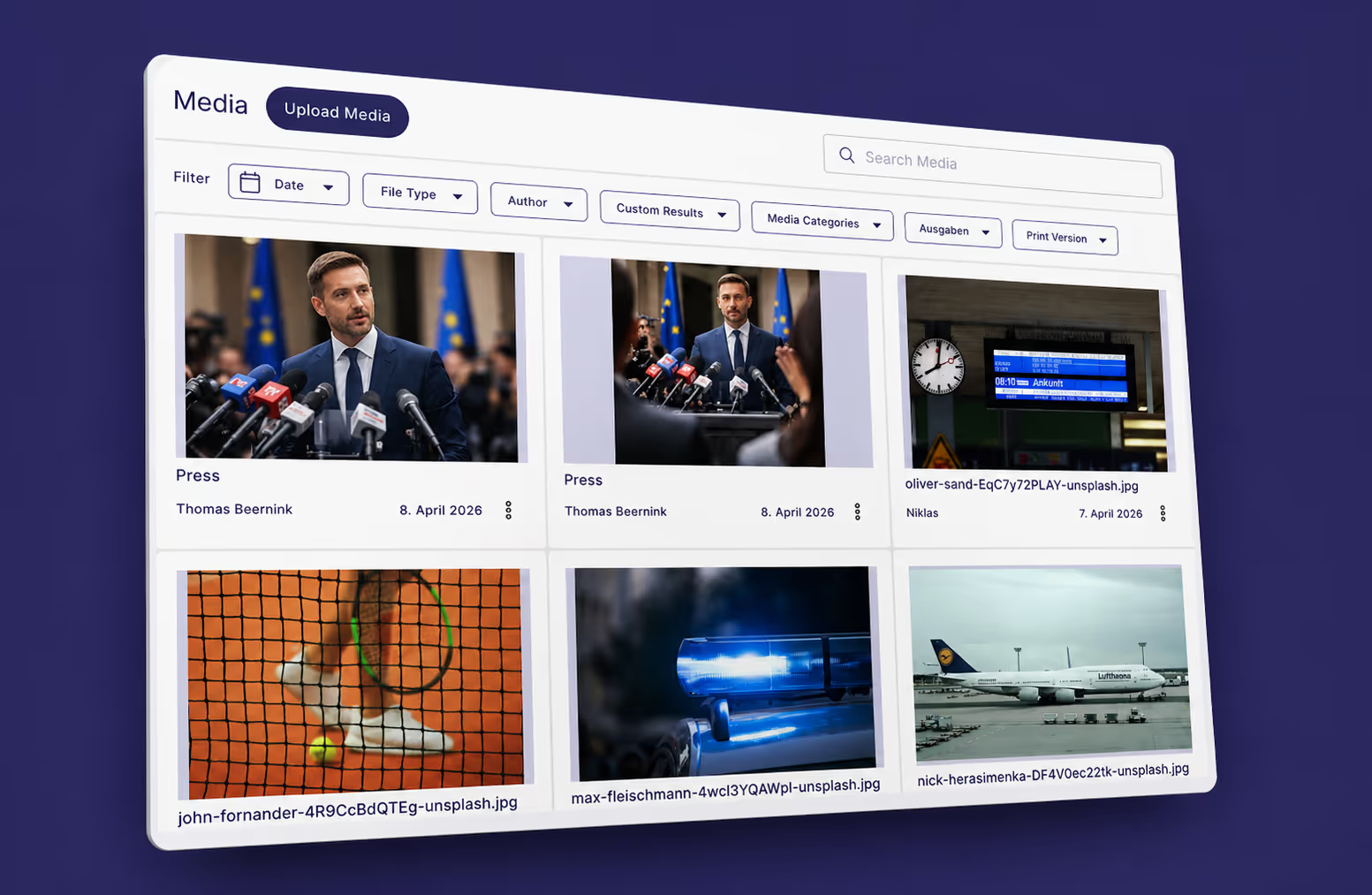
In the last Feature Review, we introduced Purple DAM, the fundamentally redesigned asset management in the Purple Hub. Purple DAM+ is now the next stage of that development. The first highlight is AI Editing: you can now generate, edit, combine and create variants of images directly in the Hub, without switching to an external program such as Photoshop. Four functions are available: generating images, creating variants, combining several images and editing images. Each of these functions can be enabled or disabled individually as needed.
Why does it matter?
A large part of image editing currently happens outside the Hub, which interrupts the workflow. AI Editing closes this gap for recurring tasks: removing a background, turning the values of a table into a clean chart, placing a chart on your own brand design or creating a suitable background image. Transparency is just as important: every image created or edited with AI is automatically tagged with the corresponding metadata, so it remains clear at all times what is AI-generated. This keeps your journalistic standards intact.
How does it work?
In the media library, you select one of the four AI functions. When generating, you describe the desired motif via a prompt field and define the model, format and aspect ratio. With a variant, you can, for example, turn a photographed table into a chart whose values are correctly carried over, because the model interprets the content of the table. Using the combine function, you can place a chart on a brand background, for instance. You then save the result as a copy or replace the original image. AI images are marked in the library with a small AI icon and can be sorted by generated and edited images via the "AI source" filter.
Note: AI Editing is licence-based. Simply reach out to your Customer Success Manager or to Rafael Diz Simon in Account Management if you would like to activate this function for your Hub.
Purple Prompts: Assign taxonomies automatically
What is it?
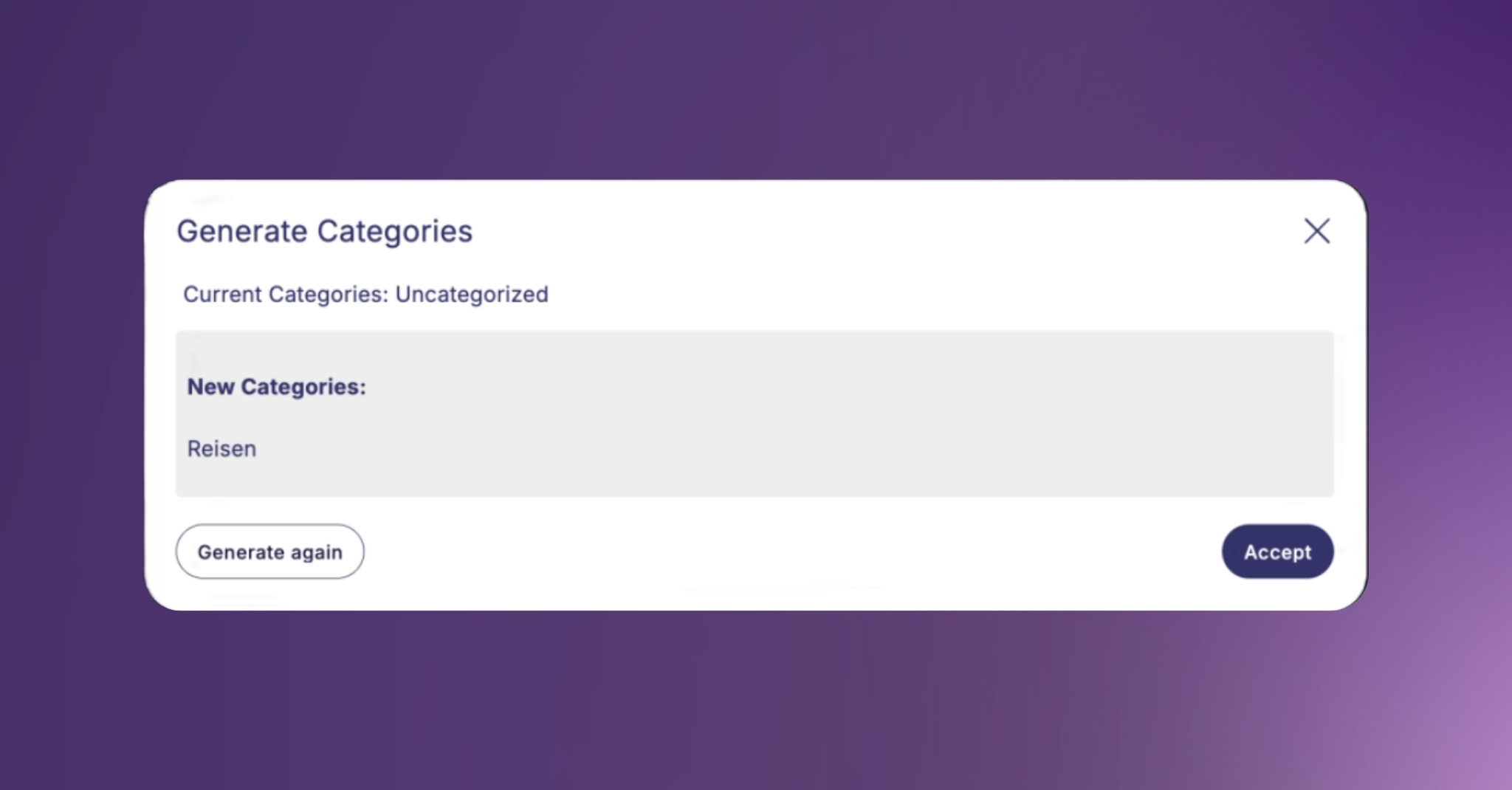
With Purple Prompts, you fill in the metadata of an article at the push of a button. Until now, one important building block was missing: taxonomies. Unlike free input fields, taxonomies always draw on an existing list of fixed terms. This is now possible. Purple Prompts can automatically suggest suitable categories and other taxonomies.
Why does it matter?
Creating metadata takes a lot of time in everyday editorial work. With AI taxonomies, you save this time without losing control over your term structure. You decide whether the AI may only choose from existing terms or also create new ones. This keeps your category list clean and prevents it from growing in an uncontrolled way.
How does it work?
In the prompt settings, you create a taxonomy prompt, for example: analyse the article content and choose the most fitting category from the provided list. You determine whether all existing terms are included, whether new terms are allowed and whether the prompt should be part of the "Finalize Article" sequence. In the article, you either call up the suggestion individually via Purple Prompts or have it generated together with all other metadata in the Finalize Article flow. Existing terms are reliably recognised, so no duplicates are created.
Aptoma Print Automation: Create print issues automatically
.jpg)
What is it?
With Aptoma, we welcome a new partner for print integration and print automation. The goal of the integration is to significantly reduce the effort involved in creating print issues from your online content. The preparation takes place in Purple, while the actual print automation is then handled by Aptoma.
Why does it matter?
Creating print versions has so far involved a lot of manual work, for example when adjusting the character count to the available space and balancing the differences between online and print articles. Aptoma automates this process and places articles in the issue automatically based on the parameters stored in Purple.
How does it work?
In Purple, you prepare the article, fill in the metadata fields and use the sidebar to send the article into the print workflow. There you define, among other things, the section, issue, priority and region. These parameters are passed to Aptoma, where the placement algorithm arranges the articles in the issue automatically. The synchronisation between Purple and Aptoma already works.
Note: Would you like to use Aptoma Print Automation in your Hub or see a personal demo? Please get in touch with us.
Purple Experience: New Non-SPA navigation mode
What is it?
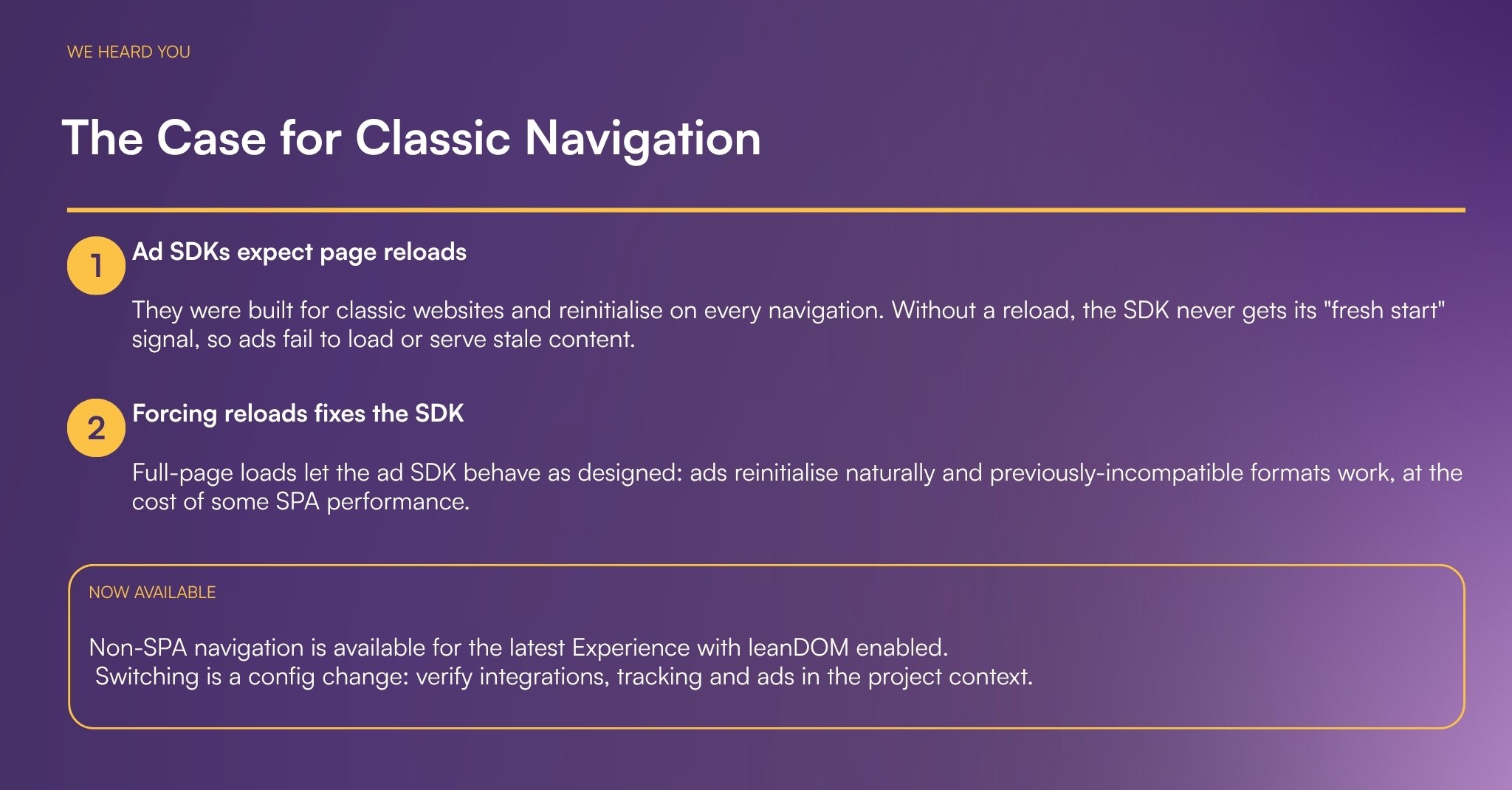
Purple Experience is a single page application by default. The application loads once and then only updates the content, which enables fast, app-like transitions without a white flash between pages. A new addition is a non-SPA mode, which triggers a full page reload on every navigation.
Why does it matter?
The SPA mode comes with limitations in the advertising business. Many ad SDKs were built for classic websites and reinitialise on every navigation. Without a full reload, they do not receive this signal, which can result in ads not loading correctly or fragments of old ads remaining on the page. The non-SPA mode ensures a clean start on every navigation and thereby makes ad formats possible that previously did not work reliably, such as homepage takeovers.
How does it work?
The non-SPA mode is available from the current Experience version with leanDOM enabled. Switching is purely a configuration change. Since the navigation behaviour changes fundamentally, integrations, tracking and ads should be verified in the project context. If you would like to test the mode, it is best to contact your point of contact in Customer Success or our Account Manager, Rafael Diz Simon.
Sneak preview: What is coming next for Purple DAM+
In the webinar, we already gave an outlook on further DAM+ functions that we are currently working on:
- Automatic metadata generation: When uploading images, title, alt text, description and caption are suggested automatically. This is based on image recognition as well as the analysis of existing EXIF and IPTC data. The suggestions are confirmed or adjusted by a human. Planned for the coming quarter.
- Image usage tracking: For each image, you can track in which articles it is used, which is helpful for reporting and billing, among other things.
- Picture Alliance integration: The Picture Alliance image database can be selected directly as a source in the media library, so that images are transferred into the article via drag and drop without detours, including metadata. Planned for the coming quarter.
Further improvements at a glance
- Social media: Social media posts now support videos and multiple images. If you have connected your channels via Buffer, tagging is also possible.
- Improved warnings: When an article is taken over by another person after a timeout, the message is now worded more clearly and you can copy your current state to the clipboard, so no work is lost.
- Extended configuration options: You can now define which blocks appear as "Most Used" at the top of the editor sidebar, determine the default behaviour of inline links, configure RSS feeds in more detail and set up ACF fields per block.
- Multi-brand hub and URL Resolver: You can now manage several brands and websites in one Hub and share and reuse content between brands. You can also run a live and a test website from the same Hub. Customers without Purple Experience can configure their URLs via the new URL Resolver in the Control Center and check them in the preview.
- Connect external services via webhook: You can connect external services directly to the article workflow via webhooks. Processing runs asynchronously in the background, results are returned as separate content and kept clearly separated from your own content. This makes it possible to implement AI-supported workflows with a human-in-the-loop principle, for example. Purple provides the framework, while the choice of tool is yours.
Stay up to date
One new development from the webinar concerns the format itself: starting next quarter, we will also offer the Feature Review webinar in German. You can subscribe to your preferred language and will then receive the corresponding recording.
Are you interested in regular exchange in our quarterly Feature Reviews, or would you like to stay informed about the latest product developments? Then subscribe to our newsletter to stay up to date, or arrange a personal conversation with my colleague Rafael Diz Simon if you would like to learn more about individual features and their use.
Über den Autor
Thomas Beernink has over ten years’ experience in product design and service design, having held roles at the Dutch National Police, Achmea and the IoT platform relayr. A graduate of TU Delft in Design for Interaction, he joined Purple as a Senior Product Designer in 2024 and now leads product management for the Purple Hub as Backend Product Manager.
More practice. More details.
For a deeper dive, you'll find case studies, webinars, and insights from our daily editorial work, featuring concrete use cases, learnings, and best practices for Purple Prompts.
Monthly updates you actually need.
Receive product updates, webinar dates, and brief practical insights on editorial, experience, AI, and integrations. Concise, infrequent, and spam-free.