Purple Workflows and planning boards: status and planning directly in the Hub
In the third quarter of 2026, Purple focused on how editorial work is organised. With Purple Workflows and the new planning boards, you manage article statuses, responsibilities and planning directly in the Hub. The AI features of Purple DAM+, which we showed as a preview last quarter, are now complete and can be set up in any Hub. And in Purple Experience, the new Consent Bridge ensures that consent given in the app also applies on the web. I presented these updates at the end of September in our Quarterly Feature Review, together with my colleagues Maximilian Moll (Product Manager App & Web) and Rafael Diz Simon (Head of Account Management). Here is a summary of the key updates.


Purple Workflows and planning boards: status and planning directly in the Hub
What’s new?
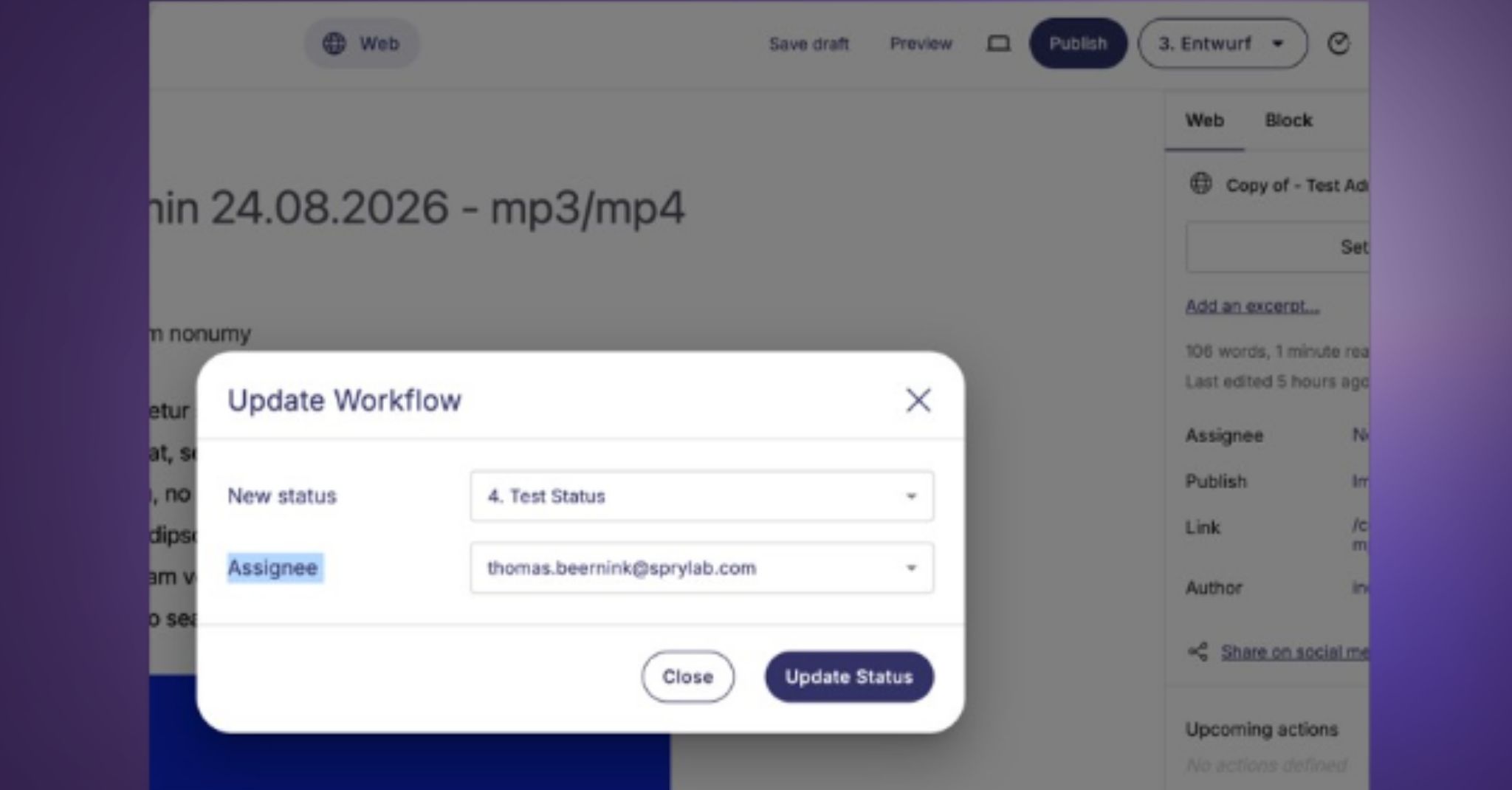
With Purple Workflows, you manage all article statuses in one place. In the Editor, you change an article’s status via a dropdown and assign the article directly to a person at the same time. Alongside the default statuses Draft, Scheduled and Published, you can set up your own statuses, such as Peer Review, Duty EditorCheck or Ready to Publish. Every status change can trigger a webhook. Forexample, a Microsoft Teams channel automatically receives a message as soon asan article is ready for peer review.
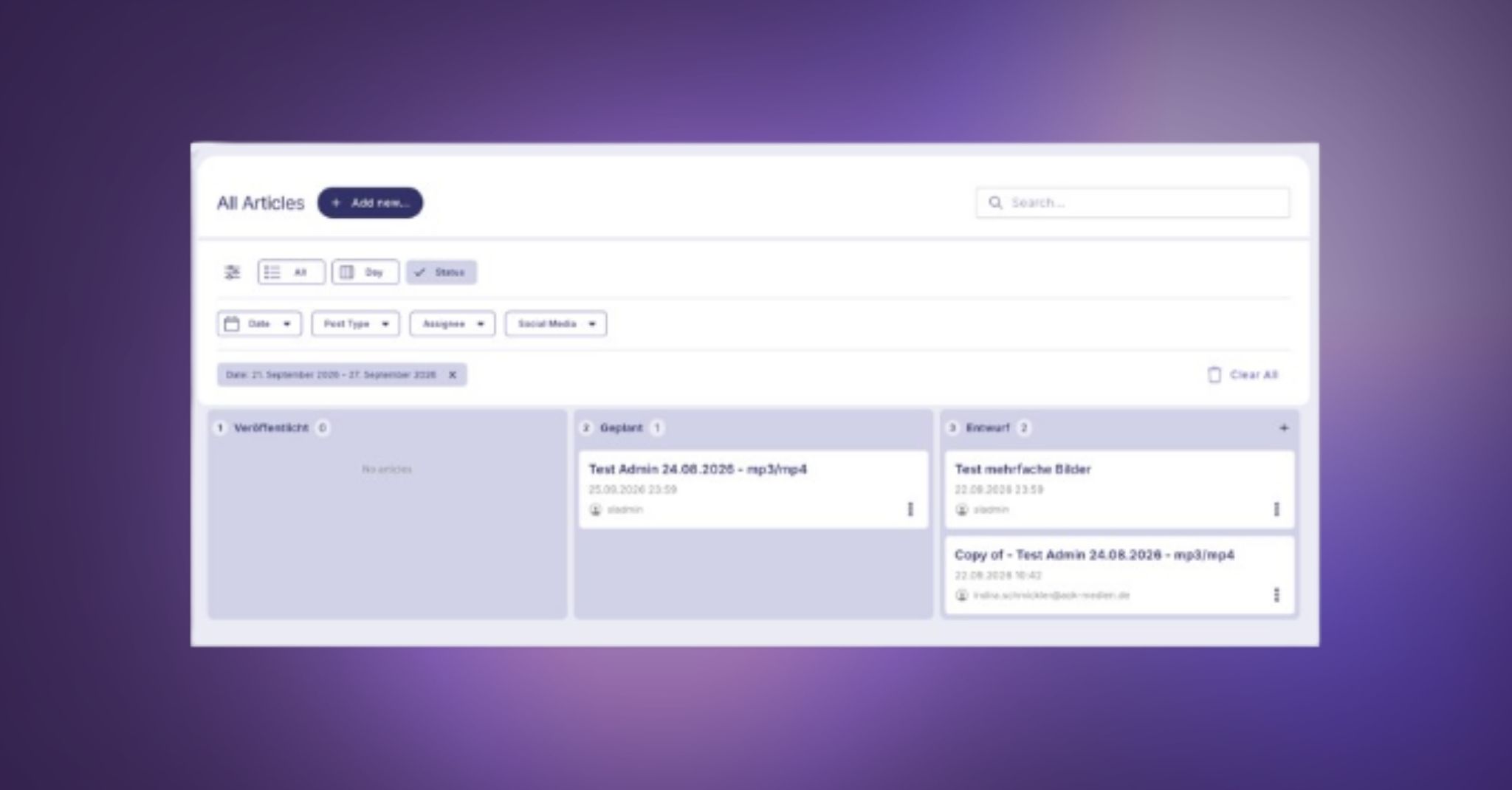
In addition,there are planning boards, integrated directly into the article overview. Thestatus view shows your articles as a Kanban board, and you move them to thenext status via drag and drop, again with an optional notification in Teams. Inthe weekly planning view, you create new articles with a topic and datedirectly on the board and assign them to people. In their task view, editorssee all articles that are assigned to them and not yet published.
Why does it matter?
Until now, there was a separate module with its own workflow status alongside the article status. This was not very efficient and could not be connected to a planning board. So we rethought the workflow status from the ground up, making it intuitive and firmly embedded in the product. The planning boards show which articles are planned for this week or for print, and what status they are in. Duty editors and team leads in particular gain a much clearer overview of all ongoing work.
How does it work?
Workflow statuses and planning boards are activated and configured for your Hub. The default statuses are always available, and we set up custom statuses together with you. Simply contact your Purple contact person, our Customer Success team or Rafael Diz Simon directly.
Purple DAM+: AI metadata, image usage tracking and Picture Alliance
What’s new?
Purple DAM+,the paid add-on to Purple DAM, comes with three key features:
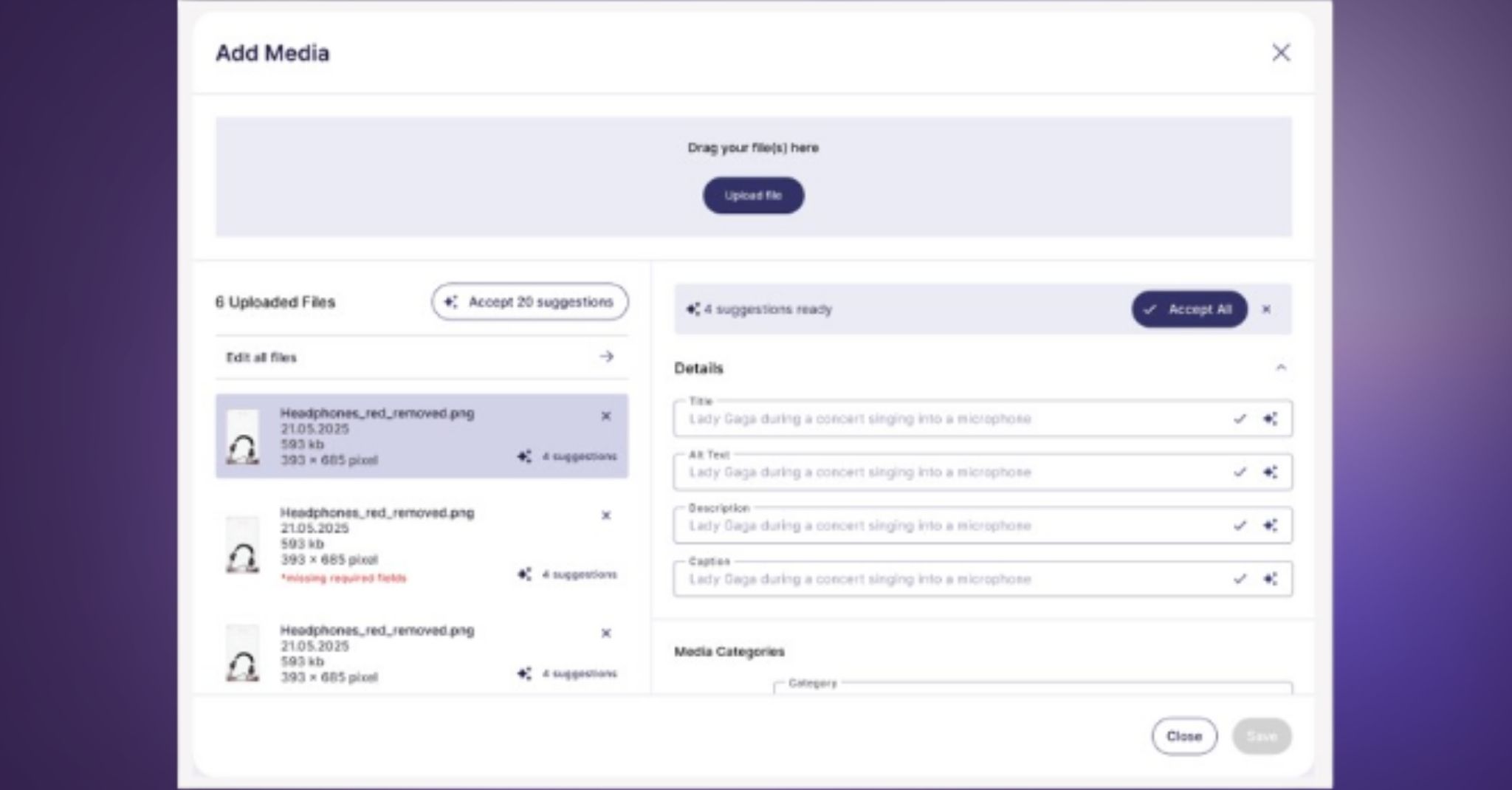
- Metadata generation: When you upload an image, the AIanalyses the image and any existing EXIF and IPTC data and suggests a title, alt text, description and caption. You decide which suggestions to accept, adjust or replace with your own text. The underlying prompt can be customised.
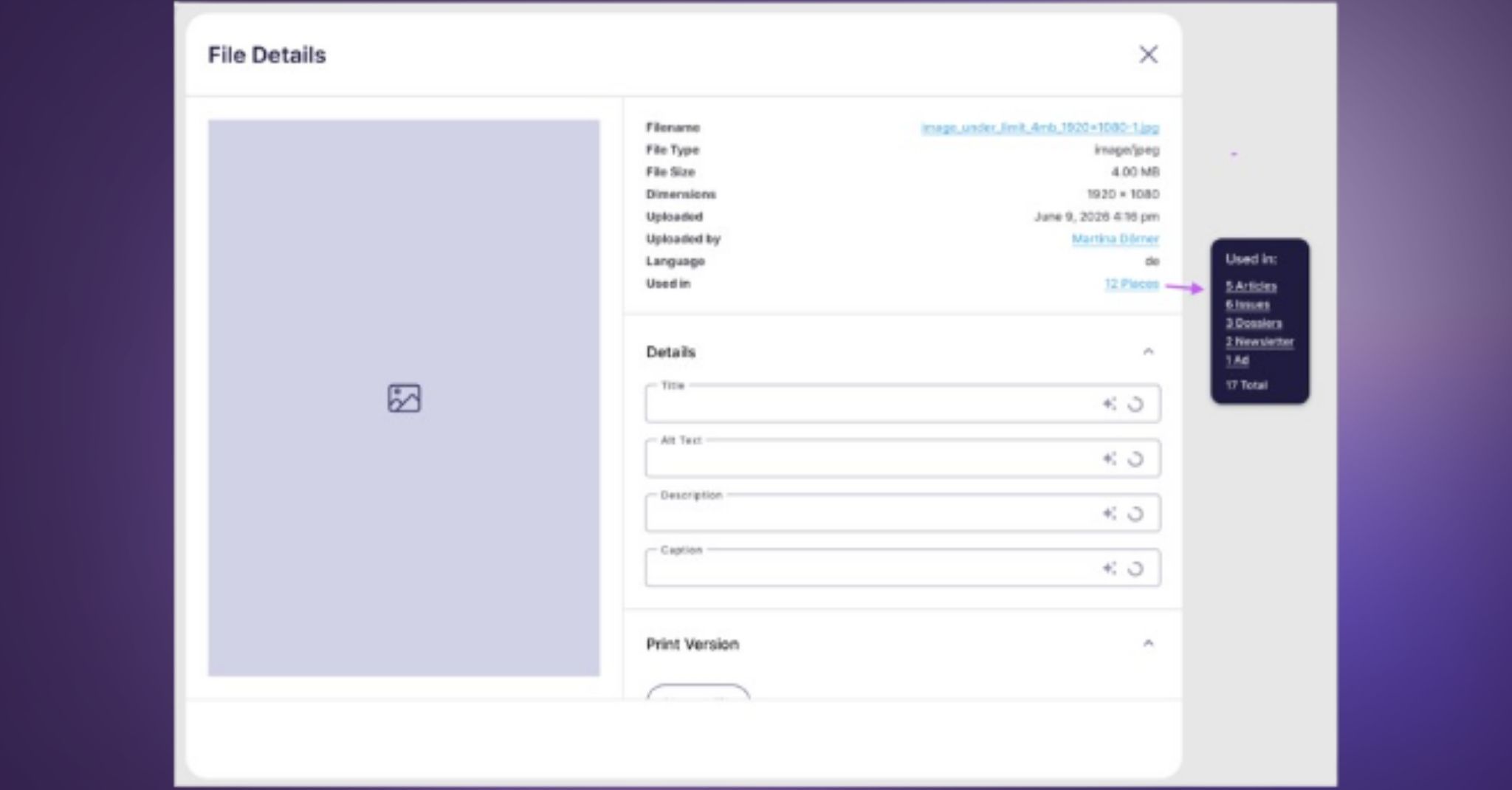
- Image usage tracking: In an image’s details, you can see where and how often it is used, in articles as well as in issues, dossiers or newsletters. This lets you create overviews for reporting.
- Picture Alliance integration: Picture Alliance is available as a separate source in the media library. You can use images via drag and drop without downloading and re-uploading them, and the metadata is carried over automatically. A Picture Alliance subscription is required.
Why does it matter?
Maintaining metadata for media files takes a lot of time. The AI suggestions take much of this work off the newsroom’s hands, while editors stay in control. Image usage tracking provides the transparency you need, for example when paying freelance photographers. And with Picture Alliance in the media library, there is no more detour via an external image database.
How does it work?
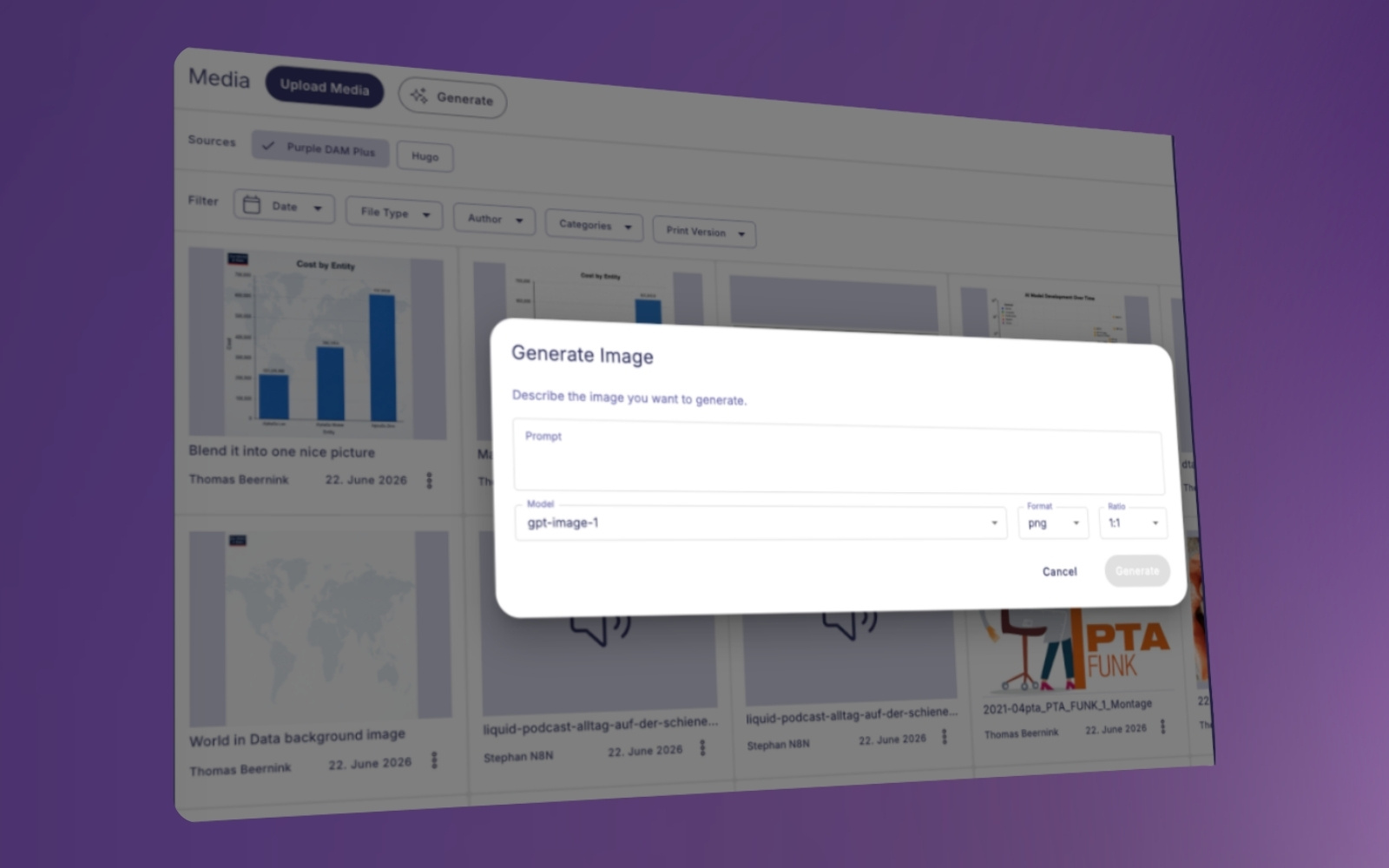
In the webinar, I also showed how the new features work together with the AI image editing introduced last quarter. You can remove backgrounds, combine several images into one and edit Picture Alliance images directly. Images edited or created with AI are labelled in the media library and can be filtered. If required, this information can also be displayed in the frontend. When you upload an image, Purple DAM+ also lets you know if it is already in the media library.
Purple DAM+ can be booked as an add-on to Purple DAM. Our documentation provides an overview of which features are included in Purple DAM and Purple DAM+. For setup or a demo, contact your Customer Success Manager or Rafael Diz Simon from our Account Managementteam directly.
Consent Bridge: one consent that applies in the app and on the web
What’s new?
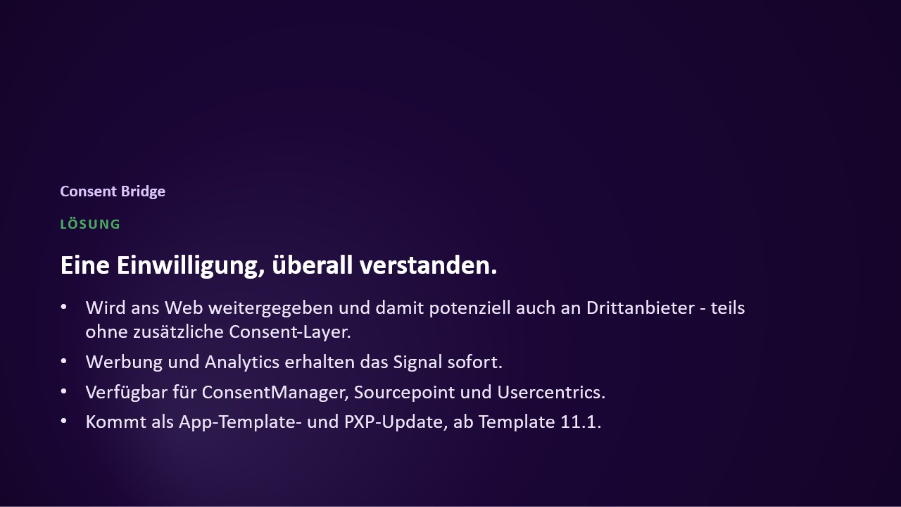
In native apps, consent has to be collected natively before SDKs can be loaded properly. The new Consent Bridge passes this consent on to the web components within the app and potentially to third parties as well, such as an external puzzle provider. Advertising and analytics receive the signal immediately. The Consent Bridge is available for ConsentManager, Sourcepoint and Usercentrics.
Why does it matter?
Transferring consent from the app to the web is complicated under TCF and GPP, and this has a direct impact on targeted ad delivery. With the Consent Bridge, you avoid additional consent layers, and your readers do not have to consent again.
How does it work?
The ConsentBridge is available from Template 11.1. It requires both the app template update and the Experience update. As with every template update, a store submission is needed. No additional configuration is required. We recommend using the same consent management platform in the app and on the web so that both are configured the same way. As third-party providers process consent differently, we review these integrations together with you. Just get in touch with your Customer Success Manager or Rafael Diz Simon.
Further improvements at a glance
• Purple Prompts with Claude: Purple Prompts now supports Claude in addition to OpenAI. The connection is also more robust, so future model deprecations by individual providers no longer cause outages. To set it up, contact your Purple contact person.
• Mathematical equations: A dedicated module lets you add equations directly to articles, for example for technical content.
• Newsletter: We have added many enhancements to the newsletter module, particularly around automation and automatic filling. Because the possibilities are so varied, we prefer to show them to you in a one-to-one session based on your specific use case.
• Media management: In Purple DAM, you can now also find images via metadata such as source and title, even if you only know part of the term. Captions and credits from wire stories are automatically carried over to the featured image, and print files can be processed as JPEG, GIF and other image formats as well as PDF.
• Clearer publishing: The “Publish to Release” option is hidden by default. Preview always publishes to the preview, while Publish orUpdate always goes live. If needed, the option can be shown again in the Hub settings.
• More consistent interface: Input fields, checkboxes, dropdowns, buttons and icons in the Hub now follow our design system in many places. All features remain unchanged and in the same place. In addition, the link to the Editor in Kordiam’s new interface is now correctly labelled “Purple Hub”.
Outlook: what we are working on
• New Curator: The Curator was still based on older components, its filters were limited and it was not possible to work on collections together. That is why it is getting a completely redesigned interface with better filters and real-time collaboration that feels like the rest of the Hub. It will be available to everyone on 26 October.
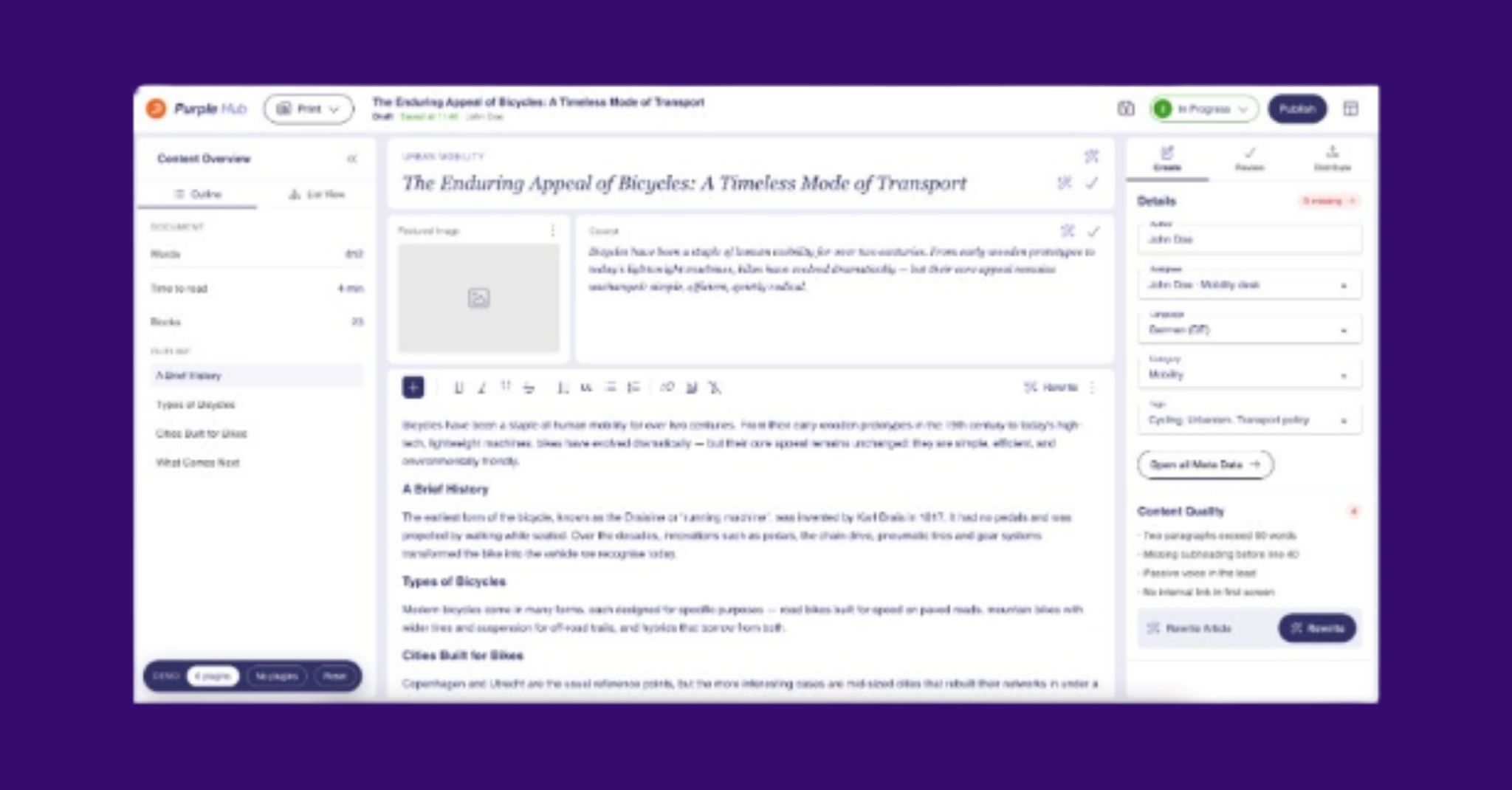
• New Editor: The Editor is one of the most important tools in everyday newsroom work. It is getting a completely new interface with less clutter, better AI support, improved metadata handling and a commenting feature for teamwork. We will continue working on it in the fourth quarter.
• Didomi as a new consent management platform: Didomi has acquired Sourcepoint. Next quarter, we will integrate Didomi as a new SDK. In parallel, Didomi and Sourcepoint are working on making their configurations compatible, so that an existing Sourcepoint configuration can be carried over. The migration of Sourcepoint customers starts in the first quarter of 2027 and is planned to run until the end of 2027. We will support you throughout this transition.
• OneTrust as an additional consent management platform:At the request of several publishers, we will also support OneTrust in future, following the same principle as our existing CMPs and also passing consent onto the web. OneTrust will follow in one of the next template versions. As we test against each customer’s own OneTrust configuration, the integration is setup individually for each account.
Stay up to date
One update concerns the format itself: for the first time, we offered the Feature Review in German in addition to the English edition. From now on, both editions will take place every quarter. Simply choose your preferred language, and you will receive the matching recording afterwards.
Would you like to join live next time or hear regularly about new product developments? Then subscribe to our newsletter. Our changelog email covers all releases in detail, including smaller improvements and bug fixes. And if you would like to talk about a specific feature and how to use it in your organisation, feel free to arrange a call with my colleague Rafael Diz Simon.
Über den Autor
Thomas Beernink has over ten years’ experience in product design and service design, having held roles at the Dutch National Police, Achmea and the IoT platform relayr. A graduate of TU Delft in Design for Interaction, he joined Purple as a Senior Product Designer in 2024 and now leads product management for the Purple Hub as Backend Product Manager.
More practice. More details.
For a deeper dive, you'll find case studies, webinars, and insights from our daily editorial work, featuring concrete use cases, learnings, and best practices for Purple Prompts.

Monthly updates you actually need.
Receive product updates, webinar dates, and brief practical insights on editorial, experience, AI, and integrations. Concise, infrequent, and spam-free.